How to Build a Content Template Library That Scales with Your Team
Struggling with messy templates and inconsistent content? Learn how to build a content template library that keeps your team aligned, saves time, and scales your content production without killing creativity.

Imagine this: a new teammate joins the team. They need to write a blog post. They ask where the examples are and what the text should look like. Someone sends them a link to an old Google Drive folder. There, they find four different versions of a “blog template,” none of them the same, two from 2021.
This is not a small problem, even if it might seem like one at first. Teams that produce content, whether it’s one person or twenty, waste a huge amount of time figuring out how something should look, instead of focusing on what they’re actually saying. And this is where content template libraries come in.
Key Takeaways
- A template folder is not a real library - a scalable library needs structure, ownership, and a clear way for anyone on the team to instantly find the right template.
- Start with an audit before creating anything new - most teams already have useful templates scattered across old docs, emails, and folders that just need to be centralized.
- Great templates remove guesswork - use instructions, placeholders, real examples, and notes so teammates can use them without asking for help.
- Ownership keeps the system alive - one person should review, update, and archive templates regularly so the library stays trustworthy as the team grows.
- A good library increases speed without killing creativity - the structure becomes repeatable, while the ideas and message stay unique every time.
Basics
A single folder on Drive is not a library
Before we start, let’s clear up one thing.
A template library is not a bunch of Word documents in a folder with some random name. It’s a system. And it’s a system that anyone on the team can use without explanation.
The difference between a messy setup and a system is small, but very important. In a messy setup, a template exists somewhere, but no one knows which one is the latest, no one updates it, and new team members never find it. In a system, everyone knows exactly where to go, what to use, and who is responsible for keeping everything up to date.
What a real library needs to have
A clear structure, someone who owns it, and a way to easily find what you need.
Step 1
Before you create anything, collect what already exists
The first mistake teams make is starting from scratch. They open a new document, write “Blog post template,” and think the job is done.
But in reality, almost every team already has some kind of informal library, it’s just scattered across emails, Slack messages, and random folders. Before you create anything new, do an audit.
Go through everything your team uses: blog posts, email campaigns, social media copy, design briefs, monthly reports. Collect examples that worked. Look at what is actually being used, and what was created once and never used again.
Step 2
How to organize it so everyone can find what they need
Template organization should follow how people think, not what feels convenient to you. If someone is looking for a newsletter template, they won’t dig through folders with unclear or unrelated names.
Two systems that work:
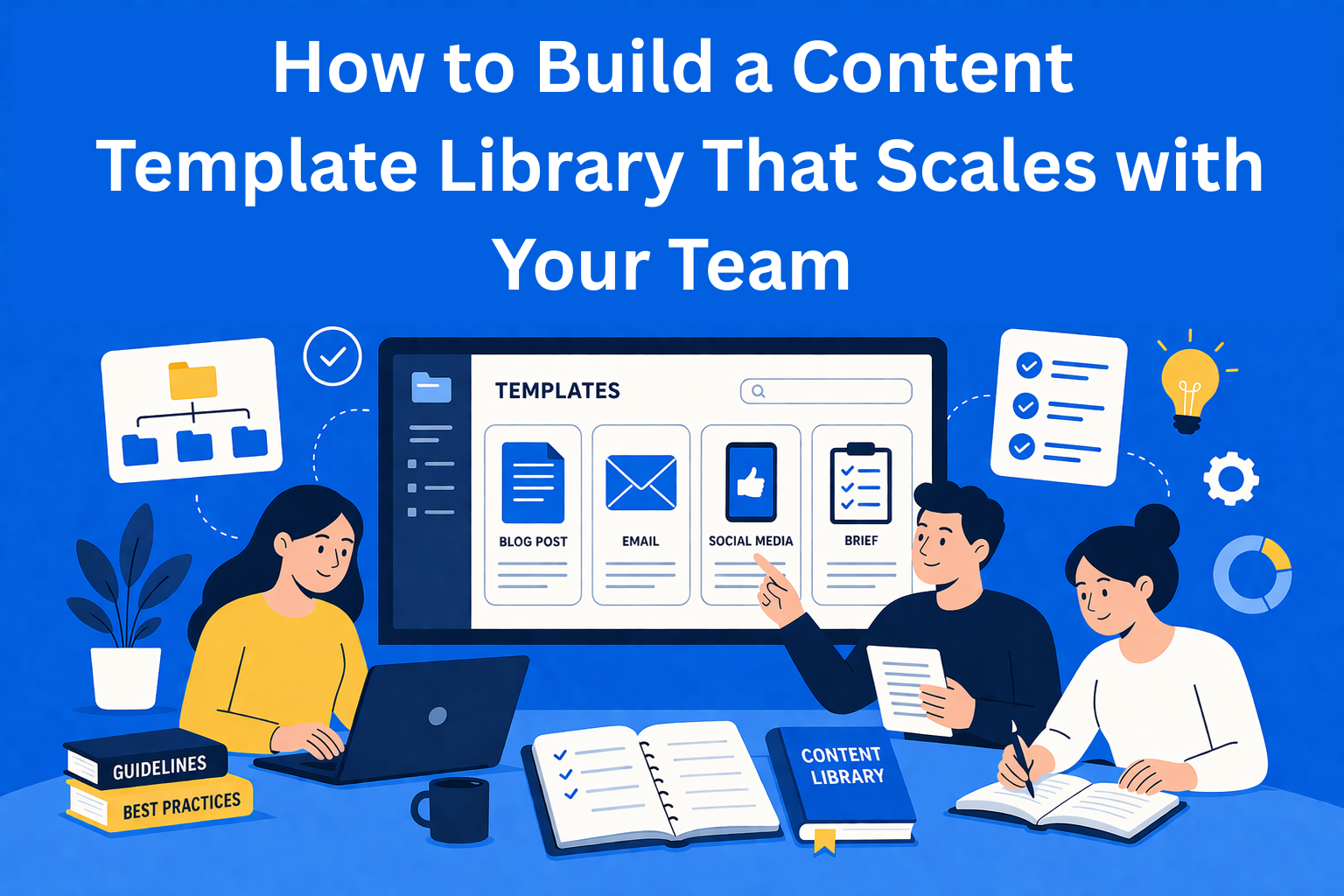
A, By content type Blog posts, emails, social media, briefs, reports. Easiest for teams working across multiple channels.
B, By audience or funnel stage Content for new users, existing users, top of funnel, conversion. Useful if your team has clearly defined segments.
For tools, you can use EasyContent, Notion, Confluence, Airtable, or even a well-organized Google Drive. The tool itself is not the point, the point is having one place where everything is listed and always up to date. Think of it like a table of contents in a book, you check it and instantly know where everything is. Without it, even the best organization becomes hard to navigate.
Step 3
What actually makes a good template
There’s a huge difference between an “empty document with headings” and a real template that someone can use without any explanation.
- Instructions
Short and specific. Not “write an introduction,” but “write 2–3 sentences describing the problem the reader has before reading this.” - Placeholders
Clear spots for content: [TITLE], [REAL EXAMPLE], [CALL TO ACTION]. - Example
At least one sentence or paragraph showing what it should look like. This is the most important part, people learn by example, not rules. - Notes
What to avoid, how long it should be, what tone to use.
Step 4
How the library stays useful as the team grows
A template library is not something you finish and forget. If you don’t maintain it, in six months you’re back at the beginning, a pile of documents, and no one knows which one is the latest.
The key thing is ownership. There needs to be one person responsible for the library. Not a free-for-all where everyone adds whatever they want, one person who approves changes, archives old content, and keeps everything consistent.
On top of that, introduce a review rhythm. Once per quarter, go through all template materials and check: what’s being used, what’s outdated, what needs updating. You don’t need to do this every week, once every three months is enough.
Don’t forget onboarding
When a new team member joins, the template library should be one of the first things they go through, not something they randomly discover after a month.
Watch out for this
Common mistakes teams make (and how to avoid them)
Even if everything looks good, things can still go wrong. Here are the most common issues:
- Too many templates. When teams start creating a template for every situation, the library becomes cluttered and hard to use. If you can’t imagine using something at least once a month, it probably doesn’t need to exist as a separate template.
- Templates that kill creativity. There’s a difference between structure and rigid rules. A good template gives you a framework. A bad one tells you exactly what sentences to write.
- No one updates anything. A template library that hasn’t been updated in a year is worse than having none, the team thinks there’s a system, but the system is outdated.
- The team wasn’t involved in creating it. People use what they help build. Ask your team where they lose time, and build the library based on that.
Conclusion
A system that frees you, not limits you
Many people worry that a template library will make content feel robotic. In practice, it’s the opposite. When the team doesn’t have to think about how something should look, they can focus on what they’re saying. The format becomes automatic, while the content stays unique.
If you’re just getting started, don’t try to build everything at once. Take one content type you use most, for example, blog posts or a weekly newsletter, and create one solid template for it. Test it. Ask your team what’s missing. Then add the next one.
A library is built slowly, template by template. But once it’s done, you only notice it when you need it. And it’s always there, exactly where you left it.
Agencies choose EasyContent to run client content work
- Clients approve pages through a shareable link, with a free guest account instead of a paid seat
- Every edit is tracked Word-style, so feedback never gets lost in an email thread
- The approval trail stays with the page itself, easy to find later
- Every approval round is saved to the item's version history