Content Collection Templates: The Forms and Checklists Every Agency Needs
Learn how content collection templates help agencies collect client materials faster, reduce revisions, improve team organization, and start projects without delays. Discover the essential forms and checklists every agency should use to simplify content workflows.

Every agency knows what it looks like when they need to collect content from a client. The client sends messages through Slack or email, forgets something, deadlines get pushed back, and the team is left waiting for materials, and cannot continue working. Because of this, projects get delayed, everyone becomes frustrated, and in the end, both time and money are lost.
That is why content collection templates (forms and checklists for collecting content) are one of the most useful things an agency can introduce. They help you get everything you need right at the beginning, in a clear and organized way.
In this blog, I will show you which forms and checklists are the most important and how to use them.
Key Takeaways
- Content collection templates eliminate chaos at the start of projects - structured forms ensure you receive all necessary information before work begins.
- A general intake form covers most client needs - collecting goals, audience, messaging, and assets early saves time and reduces confusion.
- Different content types require specific briefs - social media, blogs, video, and email each need tailored templates for better results.
- A master checklist prevents costly mistakes - verifying assets, approvals, deadlines, and storage keeps projects on track.
- Start simple and expand your system over time - introducing a few core templates first makes adoption easier for both teams and clients.
Why Content Collection Is the Biggest Problem in Agencies
Most agencies still work the old-fashioned way. The client receives a simple Word document or a message saying, “send me everything you have.” The result is missing photos, unclear messages, nobody being sure what kind of content the client actually wants, and deadlines often being missed.
When you introduce content collection templates, the entire process becomes much simpler. The client fills out the form once, you immediately get all the information you need, and the team can start working right away. There is less back-and-forth communication, fewer revisions, and much less stress. Agencies that use this kind of system save time and organize their work much more easily.
The Main Form You Must Have
Start with a General Client Content Intake Form. This is the main form for every new client.
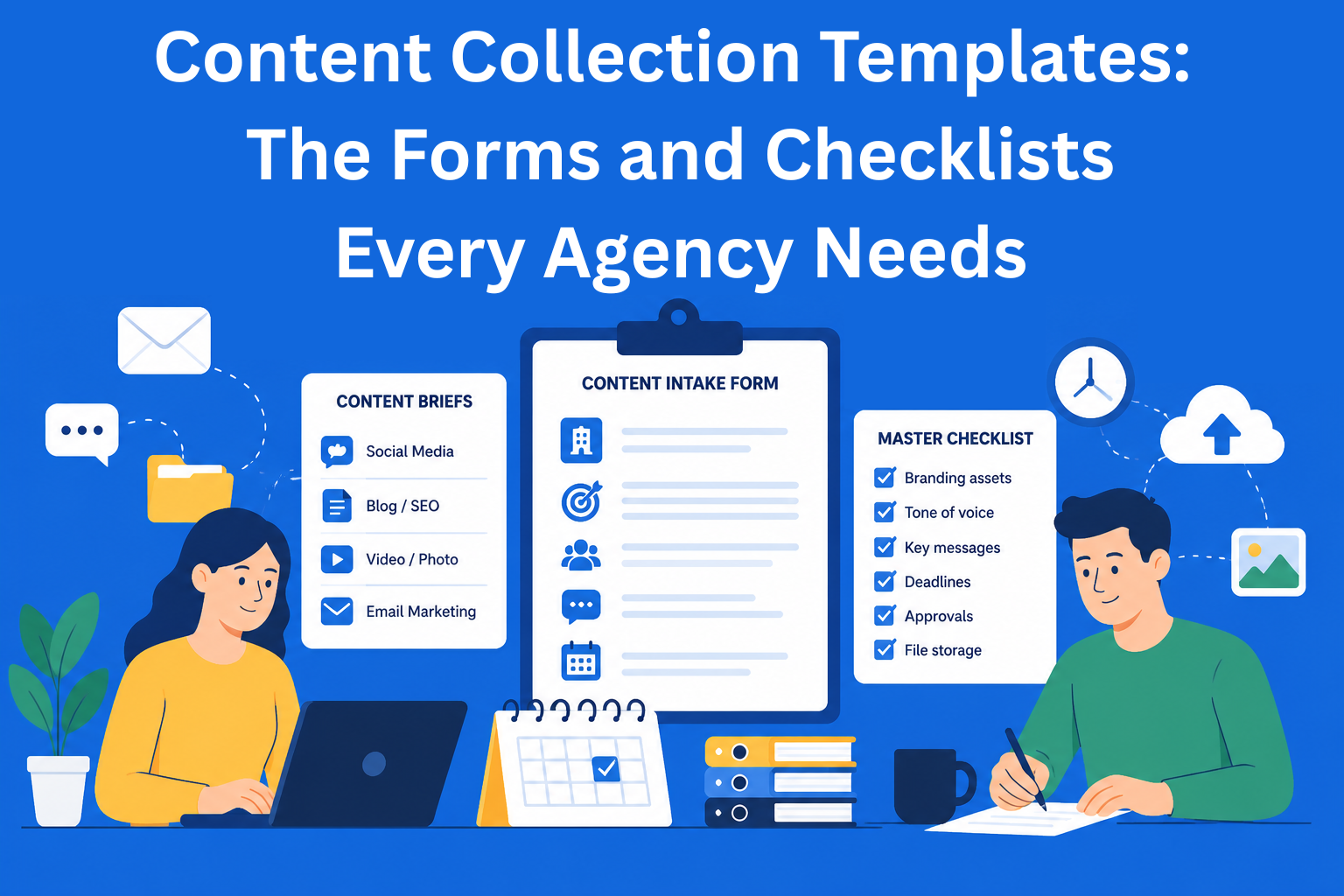
It should include basic company information, campaign goals, target audience, key messages, tone of voice, existing materials (logo, photos, videos), and deadlines. Once the client fills this out, you already have 80% of what you need to begin working.
Forms for Different Types of Content
Social Media Content Collection Template For social media, you need a separate form. Ask the client which topics they want to cover, how many posts they need per week, whether they already have photos or if your team should create them, examples of posts they like, and hashtags they use.
Blog and SEO Content Brief For blogs and SEO, it is important to get keywords, the main points the article should cover, possible research or data, the desired article length, and links to competitor articles they like.
Video and Photo Brief Video production is expensive, so mistakes here can cost a lot. The form should include the goal of the video, desired length, filming location, video style, and a list of important shots they want included.
Email Marketing Template For email campaigns, ask about the campaign goal, topics for the email sequence, existing copy, and the desired writing style.
Master Checklist - Your Safety Net
Besides forms, create one large master checklist that the team goes through at the beginning of every bigger project. This checklist helps you avoid forgetting important things:
- Did we receive all branding elements? Here you check whether the client sent the logo, colors, fonts, photos, and other materials the team needs to work. If something is missing, the project can stop before it even properly starts.
- Has the tone of voice and key messaging been approved? It is important that everyone understands how the content should sound and which main messages it needs to communicate. This helps avoid content sounding completely different from what the client expects.
- Are deadlines defined for every stage? Here you decide when writing, design, revisions, and publishing will happen. When deadlines are clearly defined, the team can organize work more easily and delays are less likely to happen.
- Who approves the final content? It is important to know immediately who gives the final approval before publishing. This prevents situations where multiple people make changes at the last moment.
- Where will we store all files? It is important that the entire team knows where texts, photos, videos, and other materials are stored. When everything is kept in one place, it becomes much easier to find what you need.
Once this checklist is completed, the risk of mistakes becomes much lower.
How to Introduce These Forms Into Your Agency
You do not have to introduce every form at once. The best approach is to start slowly with a few of the most important things. For example, first create a general intake form for new clients, a social media form, and a video brief. Once the team learns how to use these basic forms, you can easily add more later.
To create these forms, you can use simple tools such as Google Forms, which is free and very easy to use. Typeform is a good option if you want forms to look more modern and easier for clients to complete. EasyContent is useful when you want to keep all templates, briefs, and project information in one place and if you want information from forms to automatically turn into tasks for the team.
It is also important that the whole team understands how these forms are used. When everyone follows the same process, there is much less confusion and fewer mistakes. New employees will adapt to the workflow more quickly because they can immediately see how the agency operates and what is expected in every project.
Advanced Things That Can Help
Once you get used to the basics, you can take things one step further:
- Add conditional questions (if the client selects video, additional questions appear)
- Create monthly forms for recurring clients
- Use AI to create the first draft of content based on the form
- Track how many clients complete the forms and improve them over time
The best forms are simple ones. If a form is too long, clients will avoid filling it out. That is why you should keep a balance - enough questions to get all the information you need, but not so many that the process becomes exhausting.
Conclusion
Content collection templates are not just ordinary forms that you fill out for the sake of organization. They help make the entire workflow more organized and make it much easier for the team to work with clients. When you receive all the necessary information in advance, there is no constant back-and-forth communication or chasing materials. This allows the team to focus more on content quality and the creative part of the work instead of solving last-minute problems.
The best thing you can do is start with one simple form. Create the most important questions you need and send the form to your next client. Very quickly, you will notice less confusion, less waiting, and projects starting much more smoothly.
Later, you can slowly add more forms and checklists as your process grows. The most important thing is to create a system that helps both your team and your clients make collaboration simpler and more organized.
EasyContent keeps a large asset library organized by project
- Folders and search make thousands of files findable without a shared drive
- Every asset stays isolated to the project it belongs to
- Sorting by upload date, name, or size keeps the library manageable
- Every asset shows who uploaded it and when