When WordPress Isn’t Enough: Smarter Alternatives for Scaling ContentOps
WordPress is great for publishing, but content teams often need more. This post explores where WordPress shines, where it struggles, and how tools like EasyContent can fill the gaps with better workflows, collaboration, and structure-while still integrating with WordPress.

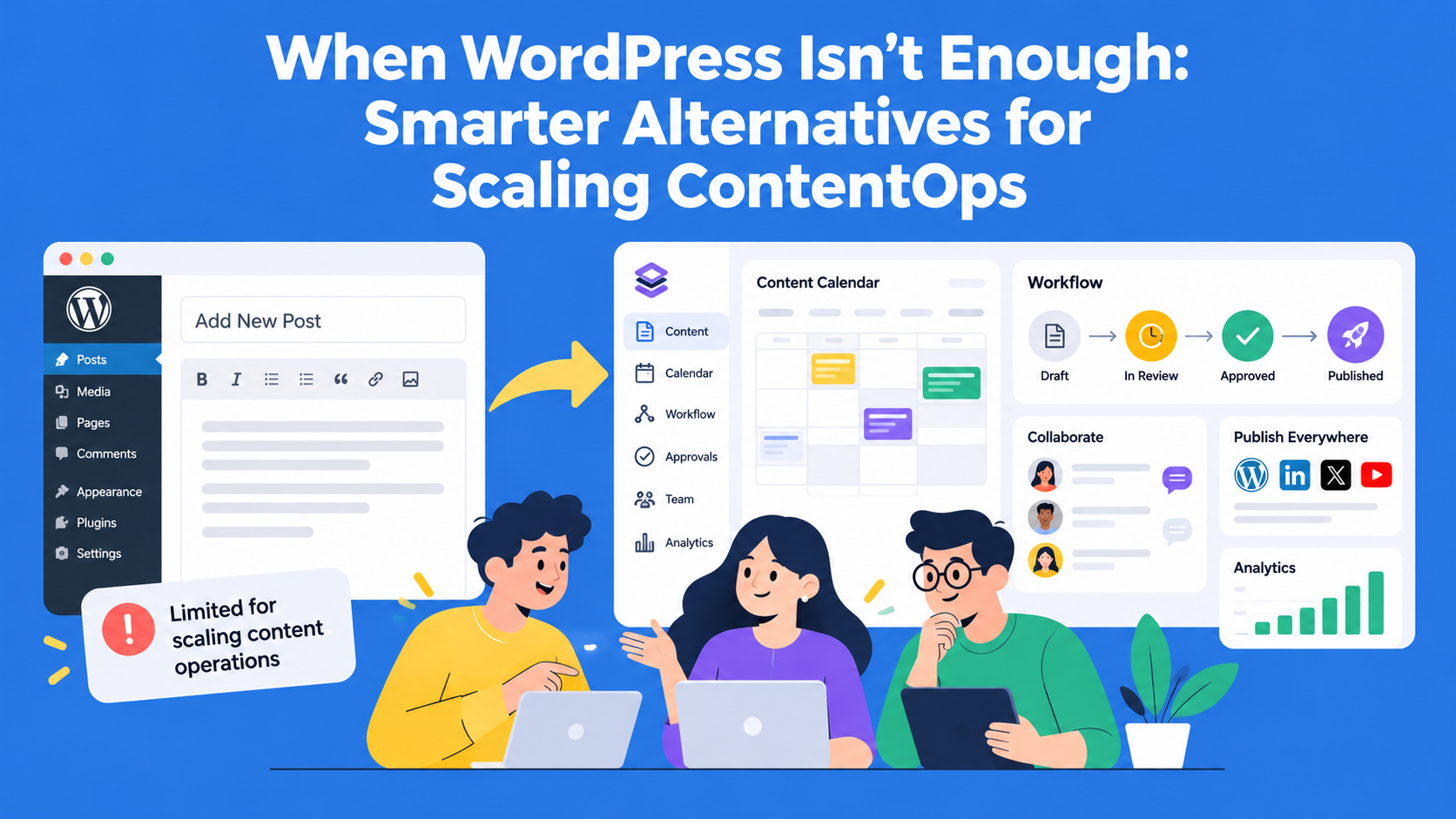
WordPress is a popular choice for building websites and publishing content. For many teams, it provides everything they need.
However, as content production grows, managing writers, editors, client reviews, and deadlines can become more complicated.
A team may still be happy with WordPress as its publishing platform but struggle to organize the work that happens before an article goes live.
In this guide, we'll look at where WordPress can fall short for growing content teams, when it makes sense to consider other tools, and how a dedicated content workflow platform can work alongside WordPress without replacing it.
Key Takeaways
- WordPress works best for smaller teams - it is often enough for solo creators and teams with simple publishing workflows.
- Growing teams need more than basic publishing - multiple writers, reviewers, deadlines, and approvals can expose the limits of WordPress alone.
- A ContentOps platform manages the work before publishing - it helps organize writing, reviews, approvals, deadlines, and responsibilities.
- You do not always need to replace WordPress - teams can improve their content workflow while continuing to use WordPress as their CMS.
- EasyContent and WordPress can work together - manage content production and approvals in EasyContent, then send approved content to WordPress for publishing.
The Value of WordPress in ContentOps
For small teams or solo creators, WordPress offers everything you need to publish online. You can start a blog, build a website, or launch a digital magazine without writing a line of code. The Gutenberg block editor allows for relatively smooth content creation, and with plugins like Yoast SEO or WP Scheduled Posts, you can enhance functionality without hiring a developer.
From a ContentOps perspective, WordPress does offer some light project management features, especially with plugins. It’s also affordable, which makes it an easy sell for startups and small businesses.
In short, WordPress works well when:
- Content is created and published by a small team.
- Workflow complexity is low.
- You want to manage everything from within the CMS.
- You’re willing to maintain your plugin ecosystem and updates.
But content operations at scale look very different.
When WordPress Starts to Struggle
WordPress works well for publishing content, but managing a growing team may require additional tools. Here are five common problems teams can face as their content creation process becomes more complex.
1. Workflow management is not sufficiently developed
When multiple writers, editors, and clients are involved in creating content, the content needs to go through clearly defined review and approval steps.
WordPress offers basic roles and publishing statuses, but managing more complex workflows often requires additional plugins or manual coordination.
2. Limited built-in collaboration features
WordPress allows content editing and tracking of previous versions, but teams may need more advanced features for commenting, assigning responsibilities, and jointly reviewing changes.
Without a shared process for content review, comments and feedback can end up scattered across different documents and emails.
3. Limited progress tracking and reporting capabilities
Content managers need to know which articles are currently being written, which are waiting for approval, and where delays are occurring.
WordPress does not offer comprehensive content workflow reports as part of its core features, so teams often use additional tools to track progress.
4. Too many plugins
Plugins can extend WordPress with additional features for workflow management, collaboration, and content planning.
However, using a larger number of plugins requires extra maintenance and can lead to compatibility issues, especially after updates.
5. Not primarily designed for multi-channel content planning
Content teams often prepare materials for blogs, newsletters, social media, and other channels.
WordPress is primarily designed for managing content on websites, so planning and coordinating content for multiple different channels may require additional tools.
When a growing content team needs more than WordPress
Imagine a marketing agency that manages three websites for different clients, all built in WordPress.
The team consists of four writers, two editors, a content manager, and several client representatives who review the content. Every month they prepare around 10 blog posts.
WordPress works well for publishing finished articles. However, the team uses other tools to organise the work before publishing.
Writers prepare the texts in Google Docs, the content manager tracks deadlines in a spreadsheet, and clients send comments by email.
This way of working creates several problems:
For example, an editor finishes reviewing an article, but the content manager does not know that the text is ready for client approval. As a result, the article remains in the spreadsheet with the status “In Review” for another day.
The problem is not that WordPress cannot publish content well. The problem is the lack of a shared process that connects writing, content review, deadline tracking, and approval.
In a situation like this, the agency may not need to replace WordPress. It is enough to find a better way to manage content before it is published.
How to Organize Content Across Multiple Channels
Today, companies don't publish content only on their websites. They often use the same material for blogs, social media, and email campaigns. However, creating separate content for each channel can take a lot of time.
For example, a marketing team can write one detailed blog post and then use its key points to create three LinkedIn posts and one email newsletter. Instead of creating new content every time, the team adapts existing material for different channels.
Problems arise when all these versions are stored in different places. This makes it difficult to track changes, deadlines, and responsibilities.
If you use EasyContent, you can organize different types of content through projects, templates, and clearly defined workflows. This allows everyone on the team to track content production, while WordPress is used to publish content on the website.
When to Start Looking Beyond WordPress
Not every team struggling with content organization needs to switch to a different CMS.
Before choosing a new tool, it’s important to identify what’s actually slowing down the content creation process.
For example:
It’s important to understand the difference between managing the content creation process and publishing the content.
A CMS is used to manage the website and published content. On the other hand, a specialized ContentOps platform helps teams organize the work that happens before publishing.
For many growing teams, the most practical solution is to continue using WordPress while improving how they organize the content creation process.
Replacing a CMS makes more sense when the site’s technical requirements change — not simply because managing content creation and approval has become more complicated.
Enter the ContentOps Layer: Where EasyContent Fits In
Let’s return to the example of a marketing agency that manages three WordPress sites.
Instead of organizing the work of writers, editors, and clients through separate documents and spreadsheets, the agency can manage the entire content creation process in EasyContent.
For example, the team can create a separate project for each client’s site, assign responsible team members, and use content templates so writers have clear and consistent guidelines.
A single article can go through the following workflow:
Draft → Editorial Review → Client Review → Approved for Publishing → Completed
Each step has clearly defined responsibilities:
- Draft (Writing): The writer prepares the blog post using the content template set up within the project.
- Editorial Review: The editor reviews the text, leaves comments, and requests changes when needed.
- Client Review: The account manager coordinates comments and feedback with the client.
- Approved for Publishing: The content manager confirms that the article is ready for publishing.
- Completed: The article has gone through all the steps of the content creation process.
An example of how to create a new project in EasyContent, set up a workflow, assign team members to workflow steps, and create the first content item.
Editors can leave comments directly on specific parts of the article and use the Change Tracking option to follow the changes that have been made.
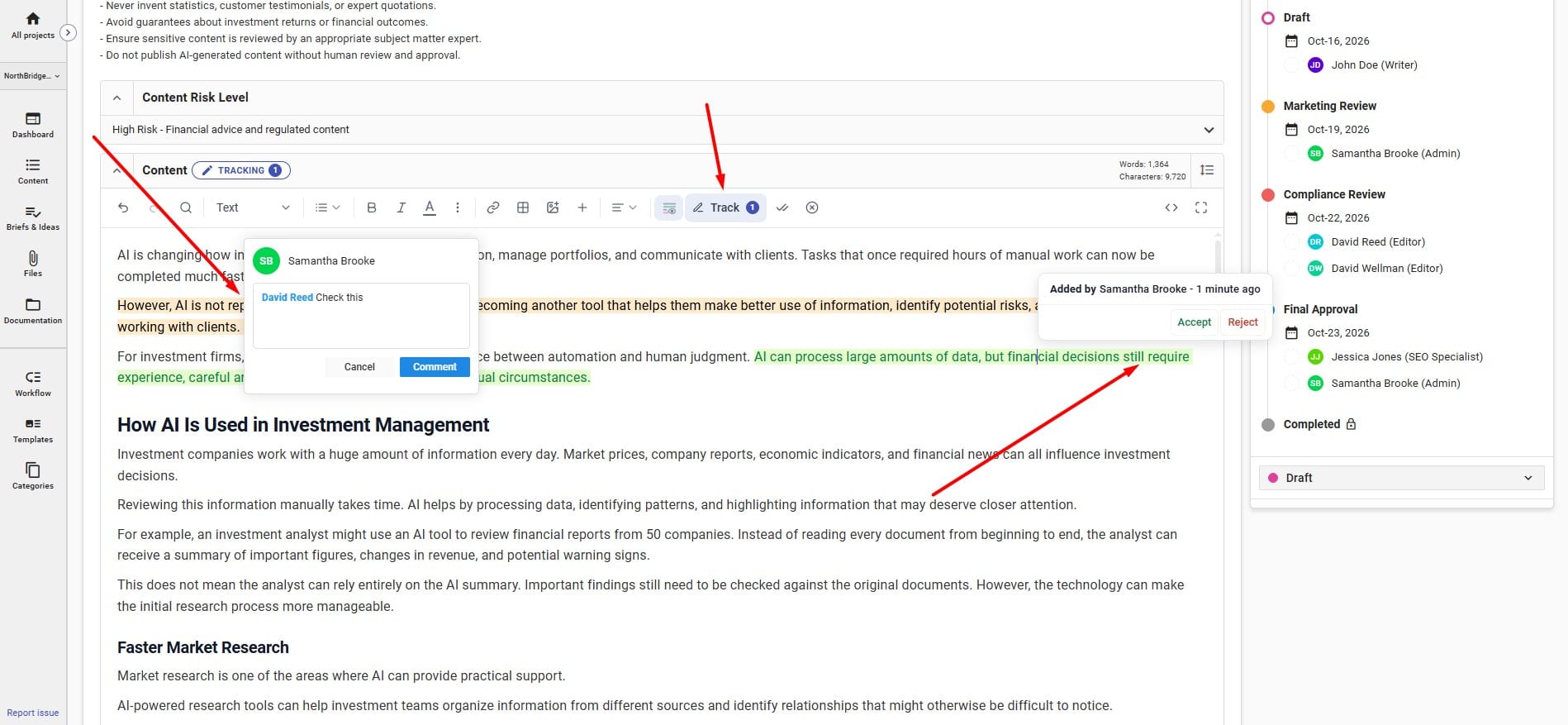
In this way, the team gets one organized process for preparing content, while WordPress remains the platform used for publishing it.
Preparing Content in EasyContent and Publishing It to WordPress
Imagine the agency has finished reviewing an article titled "How to Choose Accounting Software for a Small Business."
The writer prepared the article in EasyContent, the editor checked the content, and the content manager confirmed that it was ready for publication.
The agency can then use the EasyContent WordPress integration to send the article to its connected WordPress website.
Here's what that process can look like:
- Connect the platforms: Install and configure the EasyContent WordPress plugin for the relevant website.
- Prepare the article: Use an EasyContent template with the fields needed for the WordPress post.
- Complete the reviews: Check that the article has passed the team's required approval stages.
- Send the content to WordPress: Use the integration's publishing or synchronization options.
- Check the result: Review the article in WordPress, including formatting, images, metadata, and links, before making it publicly available.
This allows the team to prepare and review content in EasyContent while continuing to use WordPress for website management and publication.
Instead of replacing a familiar CMS, the agency adds a structured content creation and review process around it.
When You Should Still Use WordPress Alone
To be clear, there are still plenty of situations where WordPress is all you need:
- You’re a solo blogger or freelancer.
- You publish sporadically or work with a very small team.
- You don’t have complex workflows or review processes.
- You’re comfortable managing plugins and updates.
In these cases, WordPress provides more than enough value, and adding another tool might be unnecessary.
But if your team is growing, or your content ambitions are, it makes sense to bring in a platform that was built for operations, not just publishing.
Conclusion
As content teams evolve, the tools we use need to evolve with us. WordPress remains a powerful CMS, but it was never designed to be a content operations platform.
If you’re starting to feel friction in your content process, it might be time to look at adding a layer that helps you scale. Whether you’re managing a growing editorial team, planning complex campaigns, or simply tired of countless plugins, purpose-built platforms like EasyContent can bring order, clarity, and speed to your operations.
Try out our 2-weeks free trial and see if it fits your needs.
EasyContent stays in the background so your agency stays in front
- White labeling swaps in your logo and colors across the platform
- Notification emails go out under your own company name
- Clients experience your brand end to end, from brief to publish
- Available on the Business plan alongside SSO