Website Content Templates: A Framework for Every Page Type
Struggling to write website content? Website content templates give you a simple structure for every page. Write faster, stay consistent, and create pages that actually convert, without overthinking every word.

You’re sitting in front of a blank screen and need to write content for a new page on your website. You know it should be good, but you don’t know where to start. Most people building a website write without a defined structure, so the content ends up inconsistent, doesn’t convince visitors, and doesn’t bring results.
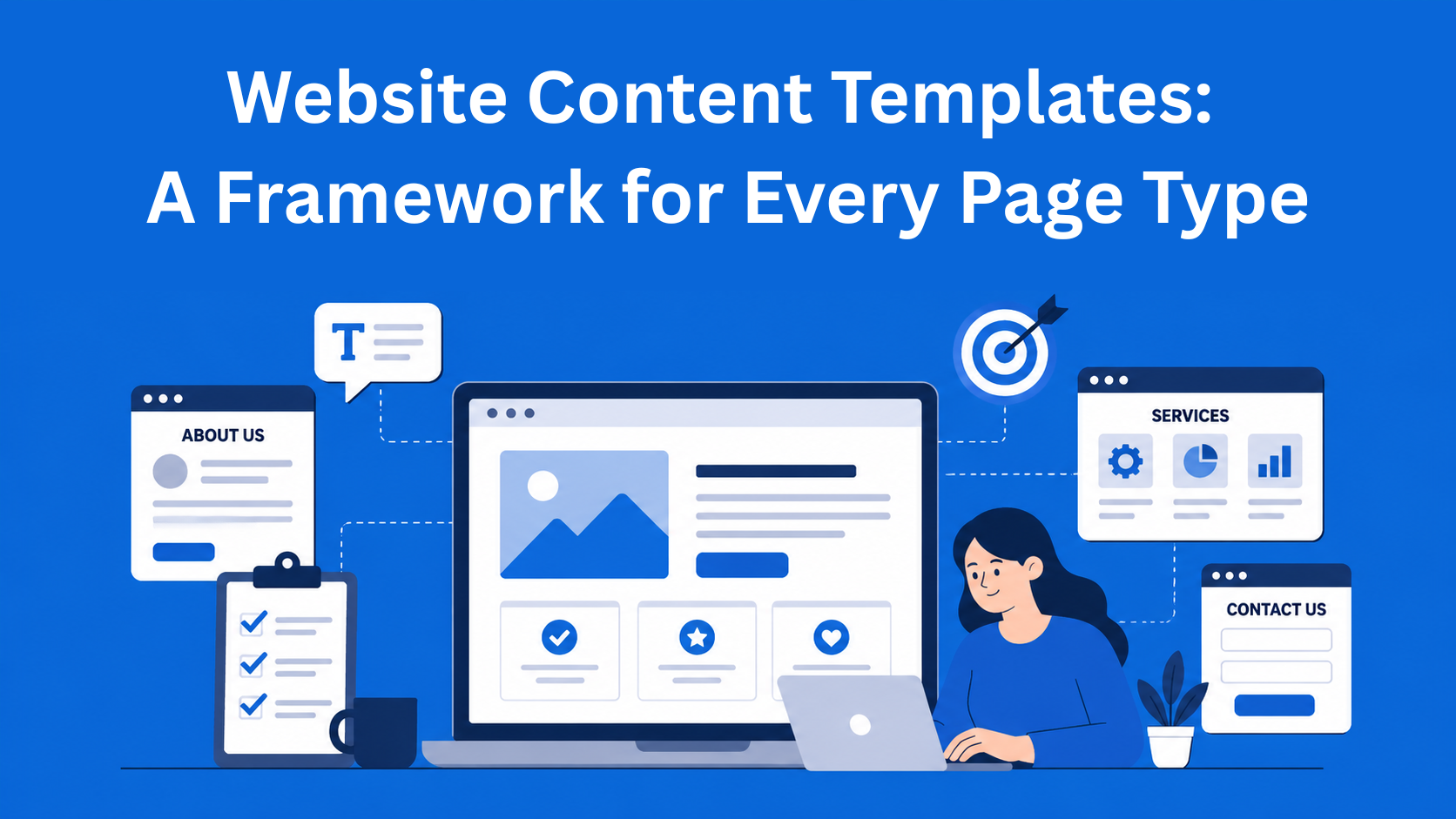
That’s why it’s useful to use website content templates, ready-made structures that clearly tell you what to write on each page and in what order. You no longer have to come up with everything from scratch; you follow a template, save time, and get better content.
In this blog, I’ll show you a simple way to create content templates you can use for almost any page. You don’t need any special knowledge, just the desire to build a better website.
Key Takeaways
- Content templates eliminate guesswork - predefined structures help you write faster and create consistent, high-quality pages.
- Every page needs a clear goal and structure - defining purpose, audience, and message ensures content actually performs.
- Templates improve both UX and SEO - consistent headings, structure, and messaging make pages easier to read and rank.
- Different page types require different templates - homepage, services, blog posts, and landing pages each follow their own structure.
- Start simple and refine over time - create basic templates first, then improve them based on performance and data.
Why do you even need content templates?
Imagine building a house without a plan. One room is huge, another is small, doors are in the wrong place. In the end, you have something that stands, but it’s not practical. The same thing happens with websites when you don’t have page templates.
When you have templates, you write faster, your content sounds consistent, and that builds trust with visitors. Most importantly, your pages do a better job: they sell, explain, or collect emails.
There’s also a big benefit for teams. If you work with others, everyone gets the same task and knows what to do. There are fewer edits and less confusion. Templates also help with SEO, because every page has a clear title, subheadings, and messages that Google can easily understand.
Of course, not all websites are the same. Sometimes you’ll need to adjust a template a bit, but the foundation stays the same. That gives you flexibility, not a rigid structure.
Core parts of every content template
Every good content template has a few basic elements that repeat. You don’t need to memorize them, just keep them in mind.
First, the goal of the page. What should this page do? Sell a service, present your company, or answer questions? Then, who are you talking to, who is your audience and what are they looking for right now?
Next comes the main message. What is the most important thing you want to say? What value does the visitor get?
Then comes the structure. First is the introduction, then the main body of the text, and at the end a conclusion and a call to action. Also, decide how you want to sound, casual, serious, or something in between.
Don’t forget the SEO part: page title, meta description, main heading (H1), and internal links to other pages. At the end, add elements that help conversion, reviews, real examples, forms, or contact buttons.
The length of the text depends on the page, but it’s better to be clear and concise than too long. And of course, think about visuals and design, the text and visuals should work together.
What content templates look like for key pages
Let’s go through a few key pages and see how to build them using page templates.
Homepage The goal is to explain in the first few seconds who you are, what you offer, and why visitors should stay.
The structure usually looks like this:
- A large hero section with a clear message and a big button (e.g. “View our services”)
- A short explanation of what you do
- Your main services or products
- Proof that you’re good (reviews, numbers, short examples)
- A call to action at the end
Keep the text short. People don’t read much on the homepage. Use simple sentences and focus on the benefit for the visitor, not just how great you are.
About page People want to see that you are real. Don’t write a boring company history. Simply explain how you started, what matters to you, and who is behind it.
Typical structure:
- A short intro with your mission
- Your story or how it all started
- Values (in bullet points or small cards)
- Team (photos and short descriptions)
Service or product page This is one of the most important pages if you sell something. The goal is to explain what you offer, how it helps, and why someone should choose you.
Start with a clear headline and description. Then list the benefits (what the person gets), explain the process, show pricing or packages, give real examples, and end with a strong button like “Contact us” or “Buy now”.
Blog post A blog template is a bit different. Start with an introduction that promises value. Then the main part with subheadings, lists, and images. At the end, add a summary and a call to action to subscribe to a newsletter or read another article.
Landing page for campaigns These pages focus on one thing, one offer. That’s why the text is more direct. A hero section with the offer, benefits, social proof, a signup form, and nothing else that distracts attention.
Contact page Simple and clear. A contact form, company details, a map if you have a physical location, and maybe an FAQ section with common questions.
Pricing page People want clarity here. Show packages in a table or cards, what each includes, the differences between them, and what they get when they choose one.
FAQ page Answer the questions people ask most often. Use the question as the heading and the answer below. This also helps with Google search.
How to create your own content templates
You don’t have to start from scratch. Here’s a simple step-by-step:
- Look at your website and decide your main goals.
- Write down who your customers are and what they want.
- Create one master template with the basic elements mentioned earlier.
- Make specific versions for homepage, services, blog, etc.
- Save everything in one place - EasyContent, Google Docs, or even WordPress blocks.
- Let your team use these templates when writing.
- After some time, check the results (how long people stay, if they click buttons) and improve.
If you use AI tools like ChatGPT or Grok, you can give them a template and say “write a service page using this structure.” This makes things even faster.
Conclusion
Content templates are not there to make everything the same. They help you know what you’re doing, while still leaving room for creativity. Of course, not everything works the same for everyone, what works for one type of business may not work for another, so you adjust the template a bit.
The most important thing is to measure. After a month or two, check your analytics and see which pages perform well and which need improvement. That’s how your framework gets better over time.
If you’re just starting, begin with the homepage or one service page. Once you do that right, everything else becomes easier.
In the end, a good website doesn’t happen by accident. It comes from a simple system that helps you create clear and useful content every time. Website content templates are exactly that, a simple way to build great pages without overcomplicating things.
EasyContent gives agencies AI drafting that still needs a human yes
- EasyAI Writer can generate a full first draft from a topic and a few keywords
- It can research the web for current information before drafting
- Every suggestion is reviewed side by side with the original, never applied silently
- AI credit packs can be added anytime and never expire