
-
Features
-
Content Workflow
Streamline content creation with our automated approval workflow.
-
Real-time Collaboration
Collaborate effortlessly using our powerful text editor with comments and mentions.
-
Customizable Templates
Boost productivity with structured content templates tailored to your needs.
-
Rich-text Editor
Enhance your content using our versatile rich-text editor.
-
Publishing Calendar
Manage deadlines and schedules with our visual publishing calendar.
-
Digital Asset Library
Efficiently manage and incorporate multimedia assets to enrich your content.
-
Change Tracking
Monitor edits and revisions with ease, ensuring content accuracy and accountability.
-
Hierarchical Trees
Utilize parent-child relationships and folders to organize your content in hierarchical trees.
-
Easy AI
AI writing and editing, governed by your workflow and your rules.
-
Content Workflow
-
Industries
-
Marketing Agencies
Collaborate with team members and clients, collect approvals, and deliver high-quality content more efficiently
-
Enterprise
Coordinate across departments to generate content that drives ROI and brings value to your target audience
-
Government
Engage the public by sharing important news, progress, and processes on time
-
Healthcare
Produce educational, valuable, and engaging content that will set you apart from the competition
-
Higher Education
Manage your team, collaborate on content, and organize resources in one place
-
Financial Services
Generate valuable content faster by leveraging our platform which is built to help teams work together seamlessly
-
Non-Profit
All the tools your team needs to produce content that helps create awareness for your cause.
-
Marketing Agencies
-
Use Cases
-
Writing Team Management
Manage your writing team in one place — workflows, deadlines, approvals, and full visibility.
-
Content Approval Workflow
Build a structured approval process your clients and stakeholders can trust.
-
Content Operations
One platform for workflows, teams, templates, and approvals — built for scale.
-
Content Production
Run content production without the chaos — clear briefs, automated hand-offs, full visibility.
-
Editorial Workflow
Manage assignments, editing rounds, and approvals for articles and long-form content.
-
Content Planning
Strategize and schedule content with templates, workflow automation, and a visual calendar.
-
Content Gathering
Collect content from clients and contributors with structured forms and automated reminders.
-
Marketing Content
Centralize marketing content production and keep every campaign on brand and on schedule.
-
Website Content Planning
Plan and produce website content page by page, organized by your site structure.
-
Writing Team Management
- Pricing
- Login
See how content teams use EasyContent
Short walkthroughs of real workflows: approvals, client review, website builds, and AI that stays inside your review process. Most run under two minutes.
Start here
If you are seeing EasyContent for the first time, these three cover the shape of the whole product.
 1:38
1:38
Content project setup for agencies in EasyContent
Create a project, add your team, and set up your first content item with assignments and deadlines.
 1:47
1:47
Multi-step content approval workflow for marketing teams
Build the review process: named steps, responsible roles, automatic deadlines, and read-only stages.
 1:16
1:16
Client content review by shareable link, no login needed
Send a client a link, control what they can do with it, and keep their feedback attached to the content.
Build your workflow
Templates, briefs, roles, and requirements. The setup work that stops revisions before they start.
 2:14
2:14
Content templates with per-field AI instructions
Build a template from scratch and give each field its own guidance and its own AI instructions.
 1:24
1:24
Word count and character limits in content templates
Set length requirements per field so drafts come back on spec.
 1:22
1:22
Writer briefs and keyword guidelines inside the editor
Put the brief, keywords, and instructions where the writer is already working.
 1:11
1:11
Convert content briefs into assigned content items
Capture ideas as briefs, then turn them into assigned work when you are ready.
 0:53
0:53
Roles and permissions overview
Create custom roles and control who can do what at every stage.
Work with clients
Guest review, approvals, branding, and getting the final file where it needs to go.
 1:21
1:21
Multi-client content pipeline visibility for agencies
See what is in progress, what is waiting on review, and what needs attention across every client.
 1:27
1:27
White-label content platform for agencies and clients
Replace the logo, colors, and email sender name so clients see your brand.
 1:22
1:22
Export approved content to HTML or Word (DOCX)
Move approved content to a CMS, a developer, or a stakeholder without copy and paste.
Plan a website build
Structured page-by-page content for site launches and migrations, mapped to the sitemap you are building.
 1:55
1:55
Website copy production for web design agencies
Organize every page of a client site and track it to approved before the launch date.
 1:29
1:29
Website content hierarchy that mirrors your sitemap
Build a page tree by hand or import a CSV sitemap, then reorganize by dragging.
 2:21
2:21
Figma plugin for EasyContent
Pull real approved copy into Figma instead of designing around placeholder text.
AI you can review
EasyAI runs inside the workflow you already have. Every draft follows your style guide, and every change is reviewed side by side before it ships.
 2:31
2:31
AI content writer with outline review and approval workflow
Set topic, tone, audience, and length, then approve the outline before any draft gets written.
 2:22
2:22
AI content editing with human review for content teams
Improve an existing draft with the Edit with AI modal or Inline Edit, then accept or reject each change before it lands.
 2:35
2:35
Brand style guide enforcement for AI content generation
Attach a style guide to a project and have every AI draft follow it.
Organize and find content
Calendars, folders, tags, categories, and files. The parts that matter once you have a few hundred items.
 1:35
1:35
Content calendar filters by person, status, and deadline
Filter a busy calendar down to one person, one status, or one template.
 1:27
1:27
Plan your content with the editorial calendar
Monthly and weekly views, with drag and drop rescheduling.
 1:35
1:35
Structure content with categories
Define categories once at project level, then assign and filter by them.
 0:30
0:30
Tags for organizing and surfacing related content
Apply flexible tags and use them to find related items fast.
 1:16
1:16
Manage files with the asset library
Store project files in folders and attach them directly to content items.
Set up for your industry
The same workflow engine, configured for the review chain your sector requires.
 1:28
1:28
High volume SEO content production for digital agencies
Run article production at volume with a writer, SEO reviewer, and editor on every piece.
More for agencies →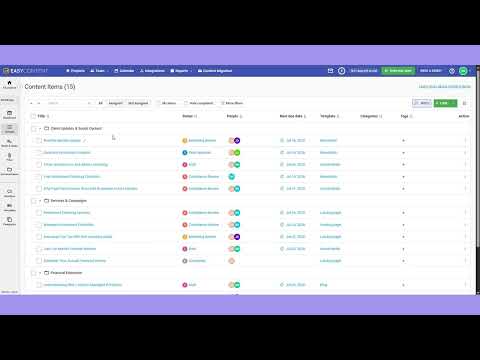 1:24
1:24
Compliance review tracking for financial marketing teams
Find every item waiting on compliance, who owns it, and when it is due.
More for financial services → 1:20
1:20
Patient education content review for healthcare marketing
Route patient content through a medical expert and a compliance reviewer before publication.
More for healthcare → 1:24
1:24
Read-only content lock for government communications teams
Lock approved public notices so they cannot be changed by accident.
More for government → 1:35
1:35
Member content management for small nonprofit teams
Keep every content type in one project with a team of two or three.
More for nonprofits → 1:32
1:32
Organize nonprofit campaign content with folders
Group volunteer stories, updates, and newsletters by campaign.
More for nonprofits → 1:36
1:36
Blog content workflow for in-house marketing teams
Take a blog post from brief through review to publish inside one project.
More for marketing teams →Moving from another tool
If you are coming off a platform that shut down, got acquired, or repriced, migration is usually a CSV import.
 1:48
1:48
Migrate from Narrato to EasyContent in minutes
Narrato shut down on 15 June 2026. Here is the import, start to finish.
See the full comparison: GatherContent alternative , DivvyHQ alternative , Slickplan alternative , Narrato alternative
- We'll get back to you within 24 hours.
- We'll answer your questions and understand your business challenge.
- We'll schedule a personalized demo tailored to your specific needs.
- We'll help you set up and configure your account.